Print-on-demand model mockups: protect the design, placement and colour
The artwork is the product. A good-looking model image is only useful when the print, placement and garment still represent what your customer will receive. Use this review-first workflow for your next drop.
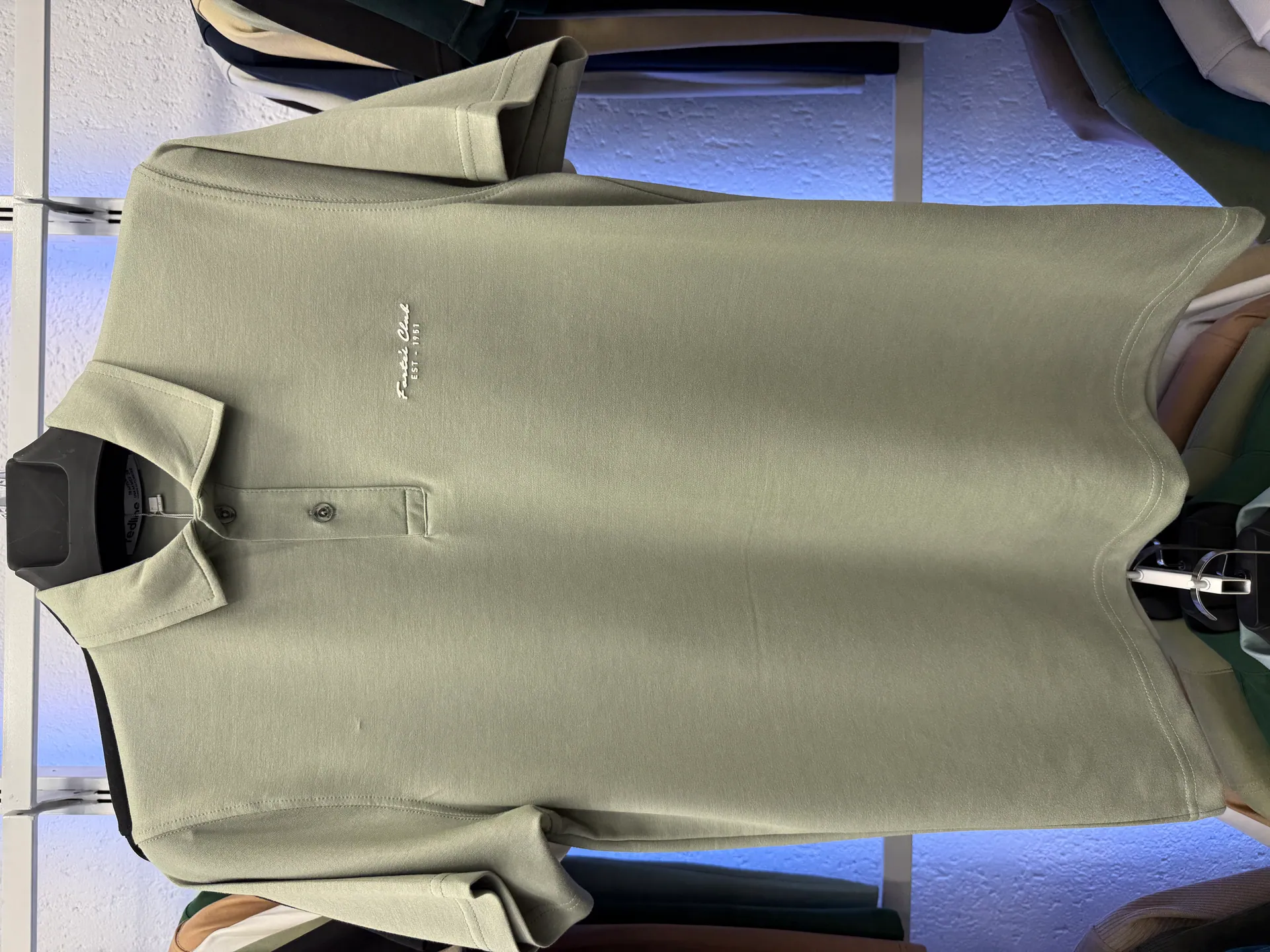
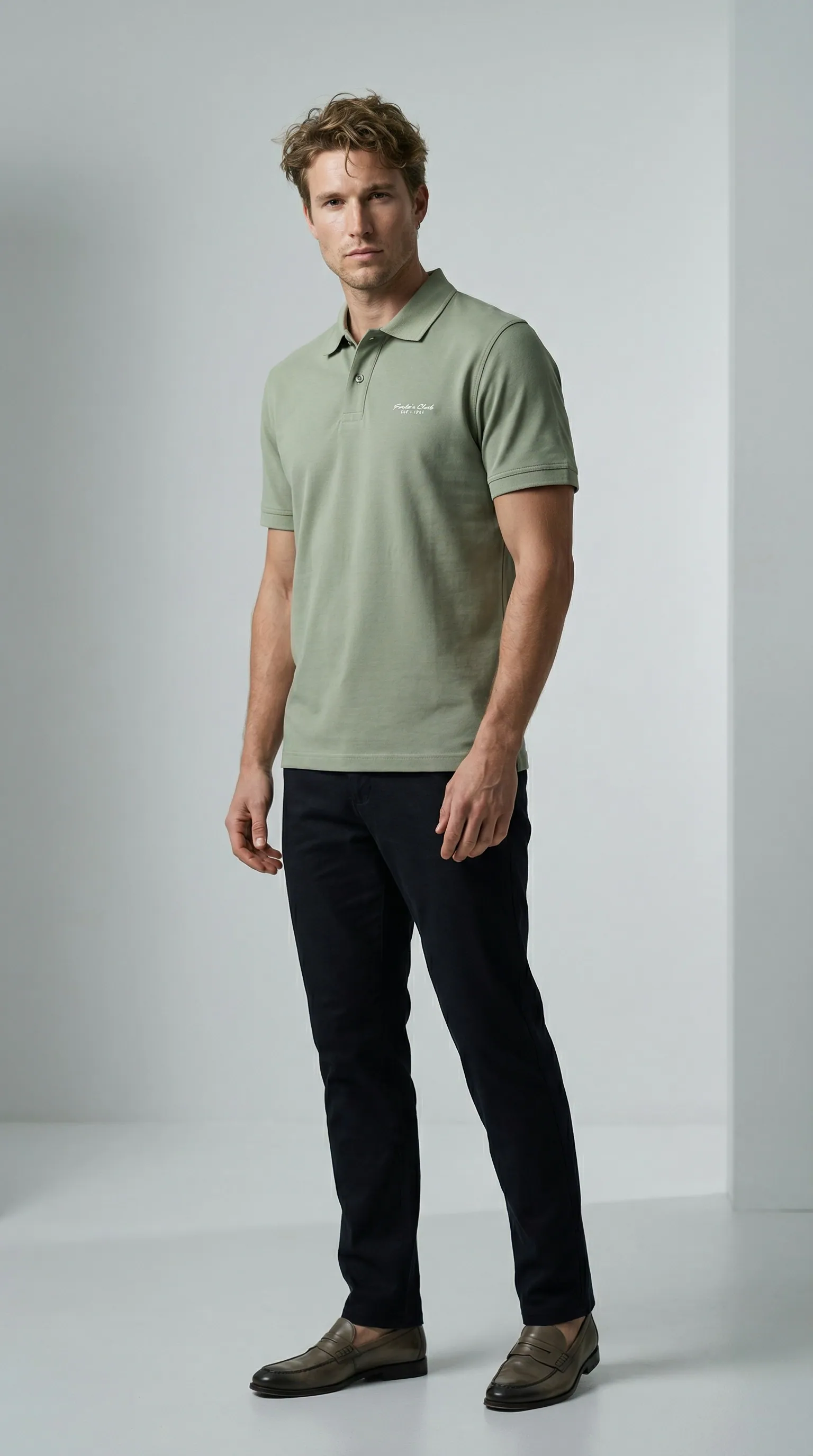
Create a reference pack before making mockups
Collect the final artwork, the blank garment specification and the print location you intend to sell. Use a stable identifier for each design and colour combination. Keep front and back artwork separate, and distinguish a large centre print from a small chest mark. Those are different placements, even when the underlying design is the same.
For a new design, order and photograph a sample when practical. A real sample gives you a physical reference for garment colour, print scale and placement. A digital composition can help plan a listing, but it cannot establish the production result or how ink behaves on a particular fabric.
Start with an accurate garment photograph
Photograph the complete garment in even light, keeping the print readable and the camera parallel to it. If the design contains lettering, include a separate sharp close-up in your records. Avoid severe folds across important artwork. An upload with distorted lettering gives you a weak reference for judging the next image.
If you only have a supplier mockup, check your permission to use it and treat it as a visual reference with limitations. Do not describe a supplier render as a photograph of your printed sample. Keep the source category clear in your files so a later editor does not mistake a concept for production evidence.
Use the model image to add wearing context
In Novv, choose a model, upload the garment reference and use a simple pose. Prefer a view that leaves the printed area visible. Crossed arms, long hair or accessories can cover a chest design. A large twist in the torso can also make placement harder to assess.
Generate one candidate and compare it with the reference before making more poses. AI can redraw a graphic, change a letter or move a small mark. A convincing face and natural lighting do not make the artwork accurate. If exact reproduction repeatedly fails, use a photograph or a controlled mockup method that preserves the design layer.
Review the print separately from the garment
- Artwork: compare lettering, symbols, linework and spacing at full size.
- Placement: check distance from the collar, centre alignment and front versus back.
- Scale: compare print width with the garment width using your real sample as reference.
- Blank: verify neckline, sleeve shape, seams and the correct garment colour.
- Surface: reject added embroidery, raised texture or gloss when these are absent from the actual item.
Do not approve a result just because the design is recognisable. A missing word or altered illustration can change what the buyer believes they are ordering. Keep a clear pass-or-reject decision for each file.
Check every design and colour combination
A successful result on a black shirt does not validate the same artwork on a cream shirt. Check contrast, print colours and visibility separately. If a light ink is part of the design, make sure it has not disappeared into a pale garment. Review each placement rather than assuming one approved front view covers a back print.
Use filenames that retain design, blank colour and view, such as design-07-cream-front-model.jpg. Keep rejected images out of the export folder. This small discipline helps prevent a strong image for one variant from being uploaded to another product by mistake.
Pair context images with production evidence
Use the approved model image to show styling, then add a real close-up or sample photograph to explain the print. Provide size and material information from the blank and your actual production setup. A generated pose cannot verify fit, ink durability or wash performance.
Selling on Etsy? Its POD image exception permits an authorized stock-photo mockup when a partner prints your original design on a standard base product. This is not blanket permission for every AI render. Compare the rule with your product type; customized handmade items call for photos of real finished examples. Recheck the gallery when the supplier, blank or print process changes. Start with a single design, review its live gallery on a phone and only then repeat the process across a collection. The goal is an appealing presentation that survives a close comparison with the item.